Infrastructure
It is one of the most common things we walk into, and almost nobody chose it on purpose.
Ask a property what runs their door locks and you will often get a name instead of a system. The software lives on one manager's laptop. He has had it for years. It works, so nobody has touched it. That laptop is now load-bearing infrastructure for physical access to the building, and it goes home with him every night.
This is not a story about one careless company. We see this pattern constantly, across hospitality, medical, warehousing, and light industrial. Access control, camera recording software, building automation, badge printing, time clocks. Somewhere in most buildings there is a critical system sitting on a machine that was never meant to host it.
It is worth understanding the mechanism, because the same mechanism is probably creating your next one right now.
A vendor comes to install a system. They need somewhere to put the management software. Nobody budgeted a server, and IT either was not in the room or was not asked. So the vendor installs it on whatever machine is available, usually belonging to the person who will use it most. It works on day one. The project closes. Nobody revisits it.
Years pass. The system quietly becomes essential. The original vendor rep moves on. The person whose laptop it is gets promoted, or leaves. And nobody in the building can now say with confidence how to get back into it.
The tell: if the answer to "where does that system run" is a person's name rather than a hostname, you have found one.
The obvious risk is the laptop dying. That is real, but it is not the one that actually hurts.
The compounding version of this problem is the one to watch for. Once the pattern is normal in a building, it repeats. We frequently find three or four of these on one site.
The fix is not complicated, but the order matters enormously. Get the order wrong on an access control system and you can lock people out of a building, which is a genuinely bad afternoon.
Before anything else, take a full backup of the application data and database from the existing machine. Then verify it. An unverified backup is a hope, not a plan. If the vendor has an export or database backup routine, use theirs rather than improvising, because these applications often store state in more than one place.
Most access control platforms are license-bound to a machine, use a proprietary database, or need a vendor technician to re-point controllers to a new host. Trying to do this without them usually costs more time than including them. Ask specifically: how is the license transferred, what is the supported migration path, and does anything on the controller side need to change.
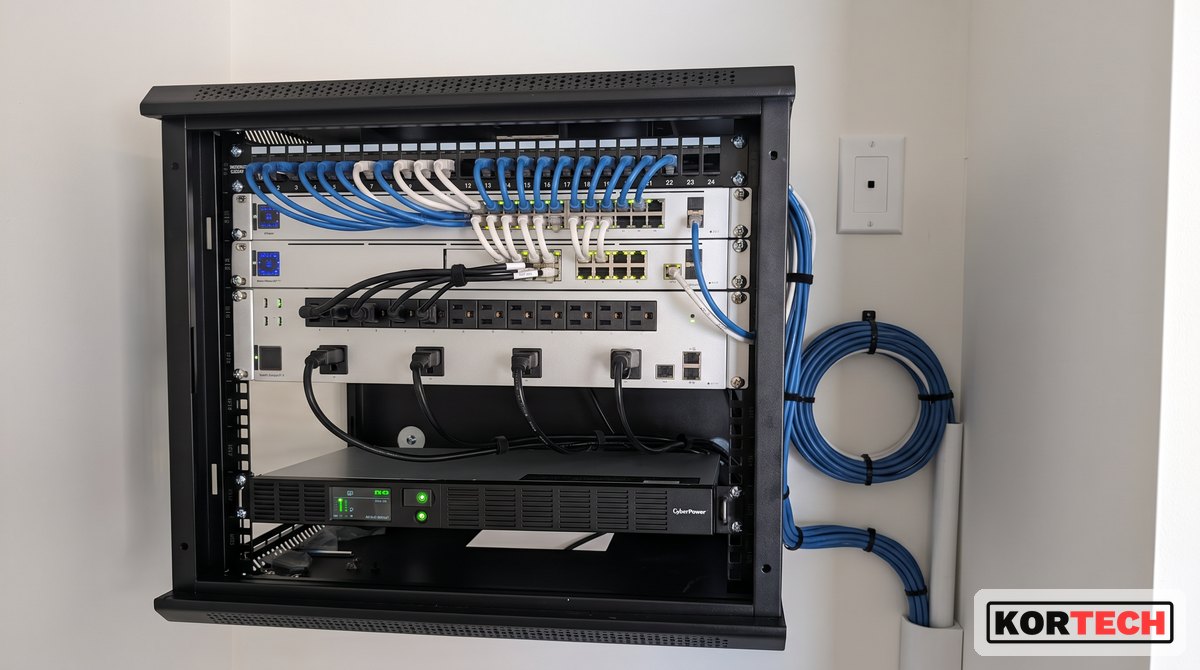
This does not need to be a big server. A small dedicated appliance is usually exactly right: a compact machine with adequate memory and storage, a supported operating system, wired connection, on a UPS, in a rack or enclosure rather than on a desk. What matters is that it is dedicated, managed, monitored, backed up, and does not go home with anybody.
Where we can, we pre-build and pre-configure the machine at our own shop before it ever reaches the site. Imaging, hardening, monitoring agent, application install, and vendor software all done in advance means the on-site work is a swap rather than a build.
Move the data over and confirm it landed completely: user count, credential count, schedules, door groups, holiday calendars. Then leave the old machine intact and untouched for a defined verification window. Do not wipe it the same day. Run the new system as the system of record while the old one stays available as a fallback.
Two weeks is a reasonable window. It covers a full cycle of weekly schedules and gives you time to catch the thing that only happens on Sundays.
Once the new host has run clean through the verification window, formally retire the old install: remove the application, confirm no lingering credential data remains on that machine, and update the documentation.
That documentation is the actual deliverable. Hostname, location, IP, license details, vendor contact and support number, backup schedule and restore procedure, and who holds the admin credentials. Put the credentials in a password manager, not a spreadsheet.
One rule worth adopting permanently: credential and PIN data never gets copied into ticket systems, notes apps, or email while you work on these. Keep it inside the application and the password manager. Convenience during a migration is how that data ends up somewhere it should never be.
If you found one, go find the others while you have momentum. Walk the building and ask what software runs each system: door access, cameras, HVAC and building automation, elevator monitoring, badge printing, time and attendance, alarm panels, digital signage, PMS or POS side utilities.
For each one, write down where it runs, who owns it, whether it is backed up, and who the vendor is. That single list is often the most valuable document an IT person produces all year, and it takes an afternoon.
None of this is a technology failure. It is a gap between the people who buy building systems and the people who have to keep them running. Vendors install where it is convenient, budgets do not include a host, and IT finds out years later.
You will not stop that from happening entirely. What you can do is get in front of it: ask to be included when a building system is purchased, keep a running inventory, and migrate the ones you inherit before they migrate themselves out the door in someone's bag.
We pre-build and stage these systems before they hit the site, then support them alongside the rest of the network. If you are running IT alone and inherited a few of these, that is what co-managed is for, or just talk to an engineer.